BiP - Messenger, Video Call
- 4.0
- Rating
- 100.00M
- Installs
- Free
- Price

 Analysis by App-foxy
I approached BiP as a practical communication tool rather than just another chat icon. It combines messaging with voice and HD video calling, and that combination makes it worth considering if you want one app for everyday conversations and face-to-face contact. My experience is that its value depends less on flashy extras and more on whether the people you need to reach are willing to use it too.
This is a free communication app from Turkcell İletişim Hizmetleri A.Ş, available for Everyone and supported on Android devices running version 7.0 or later. It has been around since November 4, 2013, and the current version is 5.1.23. Those details matter because BiP is not a brand-new experiment: it has had time to become a familiar option for people looking beyond the most common messaging services.
What I considered before recommending it
When I judge a messaging app, I start with a simple question: can it fit naturally into the conversations I already have? A messenger can be technically capable, but it becomes inconvenient if close contacts are spread across several platforms. I therefore looked at BiP through four practical criteria: how easy it is to start a conversation, whether calls feel like a useful part of the same app, how much friction appears when moving from another service, and whether its cost stays predictable.
You May Also Like

 Pandora - Music & Podcasts
Pandora’s Music Is Easy to Start, but Harder to Recover
Pandora’s strength is its low-effort path from a seed to a station. Its weak spot is how much confidence it asks you to place in connection, setup, and quiet recovery.

 AccuWeather: Weather Radar
AccuWeather Review: A Quick, Clear Forecast for Everyday Decisions
For everyday plans, the best forecast is the one you can understand quickly. AccuWeather makes rain timing, radar, and local conditions easy to act on, with a few trade-offs.

 Hill Climb Racing
Why Hill Climb Racing Still Turns Crashes Into One More Run
A tiny car, a bumpy hill and one more upgrade: Hill Climb Racing keeps resurfacing because its simple chaos makes every near-miss feel personal.

 AliExpress - Shopping App
AliExpress Makes Global Shopping Feel Personal, but Shoppers Bear the Risk
AliExpress turns a global marketplace into a pocket-sized discovery engine. Its reach is useful, its shopping loop compelling, and its trade-offs easy to miss.

 Lords Mobile: Kingdom Wars
Lords Mobile Is a Kingdom-Building Routine, Not a Quick Match
A case-by-case verdict on the building, battles, device demands, and social commitments that make Lords Mobile rewarding for some players and exhausting for others.

 PDF Scanner app - TapScanner
TapScanner Makes Paperwork Easier to Capture, Check, and Share
TapScanner makes scanning with a phone feel less like a rescue operation and more like a dependable step in getting work done. Its capture tools are useful, though not flawless.
More From Our News Desk
View All News


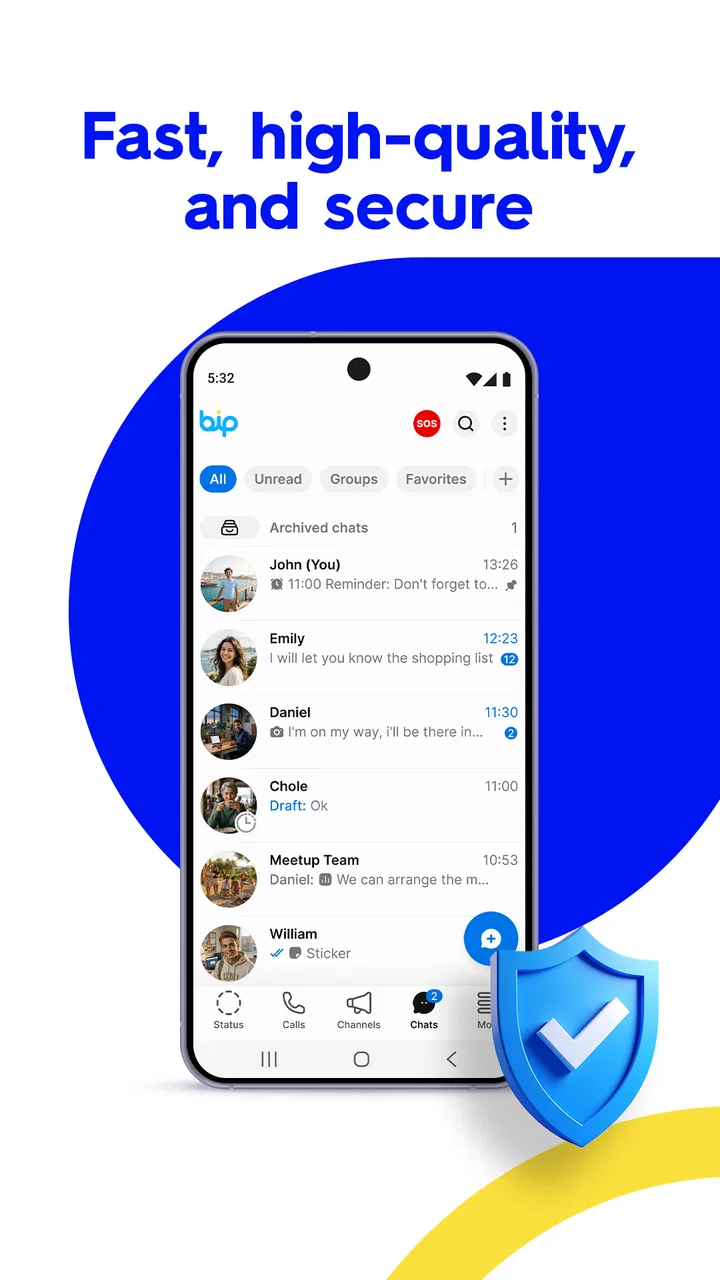
BiP performs well as a combined chat and calling app. The store positioning emphasizes fast, secure messaging and HD video calls, but I found the more important point to be the unified workflow. Instead of treating video calling as a separate tool, BiP places it alongside ordinary communication. That is convenient when a text exchange suddenly needs a visual explanation, a quick check-in, or a longer conversation.
Its audience is also substantial. The app has an average rating of 4.0 from around 1.3 million ratings, with over 100 million installs and roughly 2.9 thousand written reviews. I would not treat those figures as proof that everyone will love it, but they do show that BiP is established enough to be a serious candidate rather than an obscure alternative.
The first decision is therefore social, not technical: are the people you message prepared to install and use it? If the answer is yes, BiP has a clear purpose. If your friends, relatives, or work contacts are already committed to another messenger, switching may be more trouble than the feature set justifies.
Everyday messaging without overcomplicating the routine
For ordinary conversations, I prefer an app that does not make me think about where a feature is hidden. BiP’s main appeal is that messaging and calls belong to the same communication space. I can begin with a short text, continue with a voice conversation, and move to video when typing becomes inefficient. That progression feels natural for situations where the subject changes quickly.
A realistic example is arranging a family visit. One person asks about the time, another sends a correction, and someone else wants to show an item they need to bring. Text is enough for the first part, but a video call can settle the remaining details faster. In that kind of exchange, the app earns its place by reducing the need to jump between services.
I also see value for people who communicate across different levels of familiarity. A new contact may begin with short messages, while an existing friend may prefer a call. Having both options in one app avoids forcing every conversation into the same format. That flexibility is more useful than a long list of features I might never open.
Video calling is the reason to look twice
Many communication apps offer calling, so simply having video is not enough to make BiP special. The practical advantage is the way video calling sits beside messaging. If a written explanation becomes confusing, I can shift the conversation into a more personal format without changing the app or asking the other person to find a separate service.
That is particularly helpful for users who are not comfortable managing several communication tools. Someone who only wants one place for family chats and face-to-face calls may find BiP easier to explain and maintain than a collection of separate apps. I would still judge call quality in relation to the people involved and their internet connections, rather than assuming the app alone determines the experience.
There is also a social trade-off. Video calls demand more attention than messages, and not every contact wants that level of immediacy. I like that BiP supports a gradual path from text to video, but I would not recommend treating video as the default for every conversation. Its strength is choice, not pressure to use the most involved option.
Small workflow choices that make it more useful
One useful habit is to decide in advance which conversations belong in BiP. Moving every contact at once can create confusion, especially when people continue replying in the old app. I would start with one group that benefits from frequent calls, then add individual contacts who actually need the change. This makes the transition easier to evaluate and avoids maintaining duplicate chats without a reason.
Another practical tip is to use text as the starting point for uncertain contacts. Instead of immediately calling, send a message and see whether the person is available. If the subject becomes too detailed for typing, move to voice or HD video. This simple sequence keeps BiP useful for both quick exchanges and longer discussions.
A third insight is that the app suits conversations where context matters. Showing a document, demonstrating a household problem, or helping a relative navigate a device can be faster on video than through a chain of descriptions. The trade-off is that these calls are more demanding on attention and connectivity, so messaging remains the better choice for short, asynchronous updates.
Where BiP wins, and where another category may fit better
I find the key trade-off here is convenience within a group: BiP can keep a conversation and a video call in one place, but that advantage matters only if the people involved are willing to use it. I’d test it with one circle before changing my broader messaging routine; the next question is whether your needs are personal or better served by a more specialized communication category.
Its strongest advantage is consolidation
BiP wins when the goal is to bring direct messaging and video communication together in a single, approachable app. I would recommend it to families, friends, and small groups that want a straightforward alternative to the dominant messengers without maintaining a separate calling service.
It can also be a good fit for someone who values choice during a conversation. A chat does not have to remain a chat, and a call does not have to begin as a formal event. That ability to change format is the feature I noticed most in practical use. It makes the app feel more adaptable than a tool designed around only one communication style.
The free entry point helps as well. You can try it without paying for the app itself, which makes a small group test relatively easy. However, in-app purchases range from forty-nine cents to two hundred ninety-four dollars and ninety-nine cents per item. I would check any purchase screen carefully and avoid assuming that every part of the experience is covered simply because the download is free.
Why a familiar alternative may still be the better choice
The usual alternatives in this category often win through habit and network effect. If nearly everyone you know already uses one particular messenger, that existing network is a major feature in itself. No interface advantage can fully compensate for having to persuade every important contact to install something new.
People who need a highly specialized workplace platform may also prefer a service built around team administration, project organization, or formal collaboration. BiP is best understood as a personal communication app with messaging and calls, not as a replacement for every business communication system. If your priority is structured work rather than direct conversation, another category may fit your routine more closely.
Likewise, users who want a messenger selected primarily for a particular privacy model, ecosystem integration, or advanced automation should compare those priorities separately. BiP’s stated appeal is speed, security, free messaging, and HD video calling, but those broad advantages do not automatically answer every specialist requirement. I would choose it for the communication pattern I actually have, not for a promise that it must be the best tool in every category.
The real cost of switching
The financial barrier is low because the app is free to download, but the social cost can be higher. A messenger is useful only when the right people are present. Before moving, I would make a short list of the contacts and groups that matter most, then invite them in stages. This reveals quickly whether BiP can become a primary channel or will remain a backup.
I would also avoid deleting the old messenger immediately. For a transition period, keeping both apps prevents missed messages and gives contacts time to adjust. The downside is duplicated notifications and the possibility of checking two places unnecessarily. That is why a focused trial is smarter than a complete migration based only on curiosity.
There is a second switching cost: habits. People know where to find conversations in the app they already use, and they may not want to learn another routine. BiP’s straightforward combination of chat and calls reduces that burden, but it cannot remove it entirely. If your contacts are reluctant, the best features may never become part of your daily life.
Who should install it first
I think BiP deserves a trial if you want one app for personal messaging and video calls, especially when a specific circle of friends or relatives is ready to use it with you. It is also sensible for Android users with older compatible devices, since the minimum operating system is Android 7.0. The Everyone age classification makes it approachable for a broad audience, although normal judgment is still needed when deciding who to contact and what to share.
It is less convincing for someone who communicates almost entirely through an established platform and has no practical reason to move. I would also hesitate if your main requirement is a specialized professional workspace, a tightly integrated ecosystem, or a messenger chosen for technical criteria that go beyond ordinary chat and calls. In those cases, the familiar or more specialized alternative may save time.
My recommendation after using it as a daily communication option
BiP is a credible free messenger for people who want text conversations and HD video calling in the same place. I like its ability to let a conversation change shape without becoming complicated, and I think that makes it especially suitable for family groups, close friends, and casual personal communication.
My recommendation is conditional but positive: install it when you already have a group willing to meet you there. Start with a small circle, use messaging for routine updates, and reserve video for moments where seeing or showing something genuinely helps. That approach lets you test its real value instead of judging it by a feature checklist.
The app is not automatically a reason to abandon the messenger everyone around you already uses. Its 4.0 average and broad reach suggest a mature, widely used product, but popularity does not erase the inconvenience of maintaining two communication networks. I would choose BiP when its combined chat-and-call workflow solves a real problem for my contacts, not simply because it is available.
For that audience, the balance is appealing: free access, a familiar communication purpose, support for messaging and HD video calls, and enough flexibility to handle both quick notes and more personal conversations. The deciding factor is not whether BiP can communicate, but whether your important conversations can move there with you.
FAQs for BiP - Messenger, Video Call
01What features does BiP - Messenger, Video Call offer?
BiP provides a range of features including instant messaging, HD video calls, voice calls, and a variety of entertaining stickers. Additionally, users can create groups for chatting and share multimedia content such as photos and videos. BiP also includes translation services and the ability to create secret chats with self-destructing messages.
02Is BiP available on both Android and iOS platforms?
Yes, BiP is available for download on both Android and iOS devices. It can be found on the Google Play Store for Android users and the Apple App Store for iOS users. This cross-platform availability ensures users can communicate seamlessly regardless of their device type.
03How secure is BiP for messaging and calls?
BiP prioritizes user security by implementing end-to-end encryption for messages and calls. This means that only the sender and recipient can read messages, ensuring privacy. Additionally, BiP offers secret chats with self-destructing messages for enhanced security. Users can feel confident that their interactions remain private.
04Does BiP offer international calling options?
Yes, BiP offers international calling options, allowing users to make calls to friends and family worldwide. The app provides competitive rates for international calls, and users can also take advantage of internet-based calls if both parties have the app installed, making it a cost-effective choice for global communication.
05Are there any costs associated with using BiP?
BiP is free to download and use for messaging and internet-based calls. However, standard data charges may apply, depending on your mobile network provider. For international and premium calls, BiP offers competitive rates, which are clearly outlined within the app. Users should check with their provider for any additional data usage costs.
Pros
- User-friendly interface and easy navigation.
- High-quality video and audio calls.
- End-to-end encryption for privacy.
- Supports group chats and channels.
- Customizable themes and stickers.
Cons
- Requires a stable internet connection.
- Some features behind a paywall.
- Limited third-party integrations.
- Occasional lag in notifications.
- Consumes significant battery power.

BiP - Messenger, Video Call
Gallery